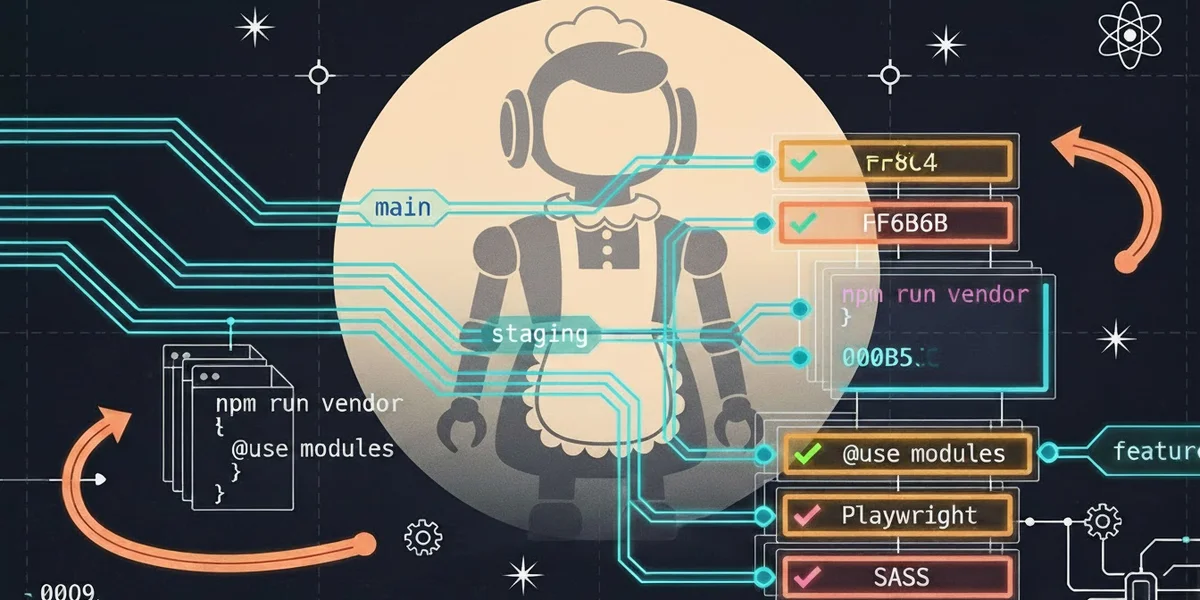
I have had my personal blog for many years now. It will be 10 years old next October. They grow up so fast, don’t they? What started as a way to share my thoughts, wins, and work notes has now become a “skin in the game” playground for me. Since my blog started its life. I have hosted it entirely in the cloud (minus local dev), which lets me practice for my own professional edification.
A playful “what if” session with VS Code’s integrated Copilot turned into mowing down long-standing issues in minutes. At my prompt, Copilot analyzed my repo and, in short order, generated a proposal for changes I have long put on hold. Examples include security hardening, modernized asset management, and gaps in workflow documentation. What followed was a 48-hour back-and-forth, condensing what would have been two weeks of evenings into two winter-break days. So, as per my learning preferences, I am sharing this experience as part of my learning process. I hope sharing my experience will help anyone evaluating whether these tools are worth the investment, even if just to play and see.
My changes, by the numbers (right from Copilot)
- Major PRs merged: 2 (#53 MM4 upgrade, #55 CI cleanup)
- Total files changed: 92
- Lines added: 11,707; Lines deleted: 1,160
- Includes reduced: 46 → 18 (28 removed)
- SASS overrides added: 2 new files (16 lines total)
- Playwright tests: 8 snapshot tests + 111 lines (Wraith replacement)
- Maintainers documentation: 229 lines filling an empty
MAINTAINERS_NOTE.txt - CSS customizations: 4 → 20 lines using
@usemodules - Font Awesome: CDN → self-hosted 5.15.4 (18 files)
- Reveal.js: 5.2.1 with a formalized npm vendor script
- Reveal.js menu: Restored/pinned at v2.1.0 with complete documentation
- New npm scripts:
vendor:fontawesome,vendor:reveal
What I learned from all this
-
Documentation is a necessary guardrail. The novelty and ease of natural-language interaction lead to a false sense of “memory and intuition.” Without a persistent context, the AI will re-analyze the same situation differently. My learning: Lead with your documentation. Keep workflow docs up to date and ensure I always reference them in prompts. Here is where I keep my work instructions for this blog.
- README: https://github.com/kyleskrinak/kyleskrinak.github.io/blob/main/README.md
- CHANGELOG: https://github.com/kyleskrinak/kyleskrinak.github.io/blob/main/CHANGELOG.md
- Documentation: https://github.com/kyleskrinak/kyleskrinak.github.io/tree/main/docs
- GitFlow Guide: https://github.com/kyleskrinak/kyleskrinak.github.io/blob/main/docs/operations/gitflow.md
-
Hallucinations remain a critical issue. Roughly 1 in 3 prompts were problematic: confusing staging vs. main, implying I had completed the MM4 upgrade, trying to create blog files outside the documented workflow, ignoring that Reveal.js was already self-hosted, and even honoring an errant note I’d included about “.htmlproofer.yml.” Newsflash - you can become the parent of your own project’s hallucinations. Mitigation: always human-in-the-loop—review → approve/reject → execute.
-
Effective prompting requires specificity. Specific prompts (exact colors, exact branches/SHAs, exact files/paths) reduce errors. When the AI gets it wrong, it often exposes vagueness in my own thinking. Now I use AI as a call-and-response stress test for clarity: if I can’t explain it precisely enough for an AI to understand, my phrasing probably isn’t clear enough for humans either.
-
Verify all suggested actions. Never blind-trust AI output. Read commands, understand consequences, check diffs, run local builds, run tests, and confirm alignment with the workflow. Remember that you’re gaining a large amount of time. Skipping this (because you’re lulled into complacency) invites unresolvable complexity later on.
-
The productivity multiplier is real. Two weeks compressed into two days. AI handled diffs, log analysis, boilerplate docs/scripts, and pattern recognition; I focused on real-time prompt decisions and verifying the results.
-
AI helps best at scale—cohesion is human. AI can juggle best practices, assets, tests, docs, branch rules, and CSS precedence. Deciding what fits and what to reject is human work. Without that, the train goes off the rails.
Conclusion: New life in my Jekyll + Minimal Mistakes stack
I no longer wonder whether to migrate to faster/newer stacks (Hugo, Eleventy, etc.). The refactor gave my stack a new lease on life: reliable asset vendoring, far more complete documentation, visual regression testing for Reveal pages, and tighter theme integration. I’m sticking with this stack. It’s funny how radical and unexpected this all is—but I like it.
Hrm. I wonder if there’s a better way to manage Jekyll assets and serve device-dependent images? Stay tuned.
Epilogue: Post-Publication QA & Polish (2026-01-02)
After publishing to my local environment, I smelled a rat and found more snakes under the rocks. Did I inadvertantly change my visuals with the CSS update? Is my front matter correct across all my posts? Do I have a documentation on what front matter should be, and is it layout sensitive?
So, curious, I continued on with iterating visual fidelity and testing infrastructure:
Note: I asked Copilot to summarize the subsequent QA changes. Everything below is from Copilot’s chat thread.
Visual Regression Enhancements
Pixel-Perfect Local/Production Parity:
- Extended visual regression suite to all 54+ pages, not just Reveal presentations
- Created
tests/full-visual-regression.spec.jswith 2% pixel tolerance, revealing five color mismatches:- Archive item H2 links:
#575b62(was inheriting$link-color) - ToC header:
#0099cc(production shade vs local$primary-color) - ToC box:
#f5f5f5background +#d3d3d3borders (was lighter) - Page H2 underlines:
#babdbd(production rgb(186, 187, 189)) - HR elements:
#cccccc(was darker default)
- Archive item H2 links:
- Fixed all five colors in
assets/css/_custom.scsswith!importantoverrides - Confirmed 54/54 pages pass pixel-perfect comparison
Interactive QA Tool:
- Built
/compare/page for side-by-side local/production inspection - Left/right iframes, Previous/Next navigation, keyboard shortcuts
- Developed-only (excluded from staging/production builds via config)
- Invaluable for spot-checking color accuracy during CSS tweaks
Sitemap & Artifact Cleanup
Removed Non-Public Assets from Sitemap:
- Updated
_config.ymlto excludeassets/files/(PDFs) andassets/reveal/plugin/notes/speaker-view.html - Ensured legitimate pages remain indexed (55 URLs now vs bloated prior list)
- Added jekyll-sitemap plugin configuration with explicit exclusions
Playwright Artifact Consolidation:
- Unified test outputs under single
tmp/playwright/root - Added
.gitignoreentries to exclude test artifacts - Cleaner workspace, easier cleanup
Documentation & Workflow
README.md enhancements:
- Added “Full-Page Visual Regression Testing” section with workflow details
- Documented
/compare/tool and its purpose as dev-only QA - Updated snapshot location references to
tmp/playwright/
CHANGELOG.md expansion:
- Comprehensive “Unreleased” section logging all QA refinements
- Color fix inventory + rationale
- Explain the changed Playwright directory structure
.github/CONTRIBUTING.md updates:
- New “Full-Page Visual Regression Testing” guide with typical output
- Interactive “Side-by-Side Comparison” tool documentation
- Expanded PR checklist: CSS changes now require a full visual regression run
- Clear dev-only status and exclusion config for compare tool
Changes Unpublished
- Marked
_pages/location.mdand_pages/calendar.mdaspublished: false(outdated content, not removed entirely)
Final Validation
All test suites pass with zero warnings:
npx playwright test tests/full-visual-regression.spec.js→ 54 passed, one skipped (PDF timeout)npx playwright test tests/reveal.spec.js→ eight passedbundle exec jekyll build→ clean output, no deprecation warnings (SASS@usemodules)- Local serve at
http://localhost:4000shows full visual parity with production
Addendum: I used GitHub Copilot to help me draft portions of this post—for structure, phrasing, and technical articulation.